If you already have have entered your ByteBook ID in the Adobe Digital Editions application, proceed directly to Borrowing an ebook and download it to your Mac
To read ebooks borrowed from your library, you must authorize your Mac with Adobe Digital Editions by entering your ByteBooks ID.
-
Open the Adobe Digital Editions application on your Mac. You can access your applications by opening a new Finder window:
-
Click on your Mac's desktop.
-
From the menu, click File.
-
Click New Finder Window.
-
In your Finder window, click Applications.
-
Click Adobe Digital Editions.
-
-
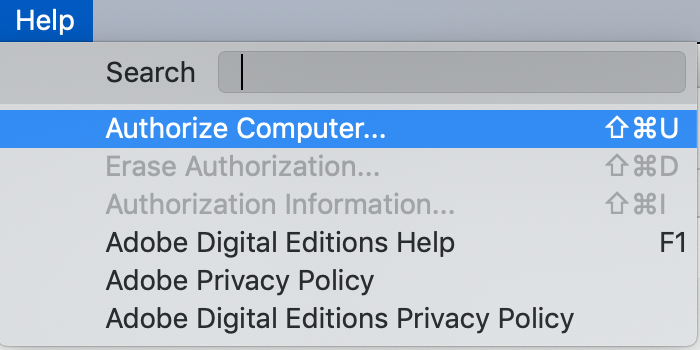
Click Help on the menu.
-
Click Allow Computer...
-
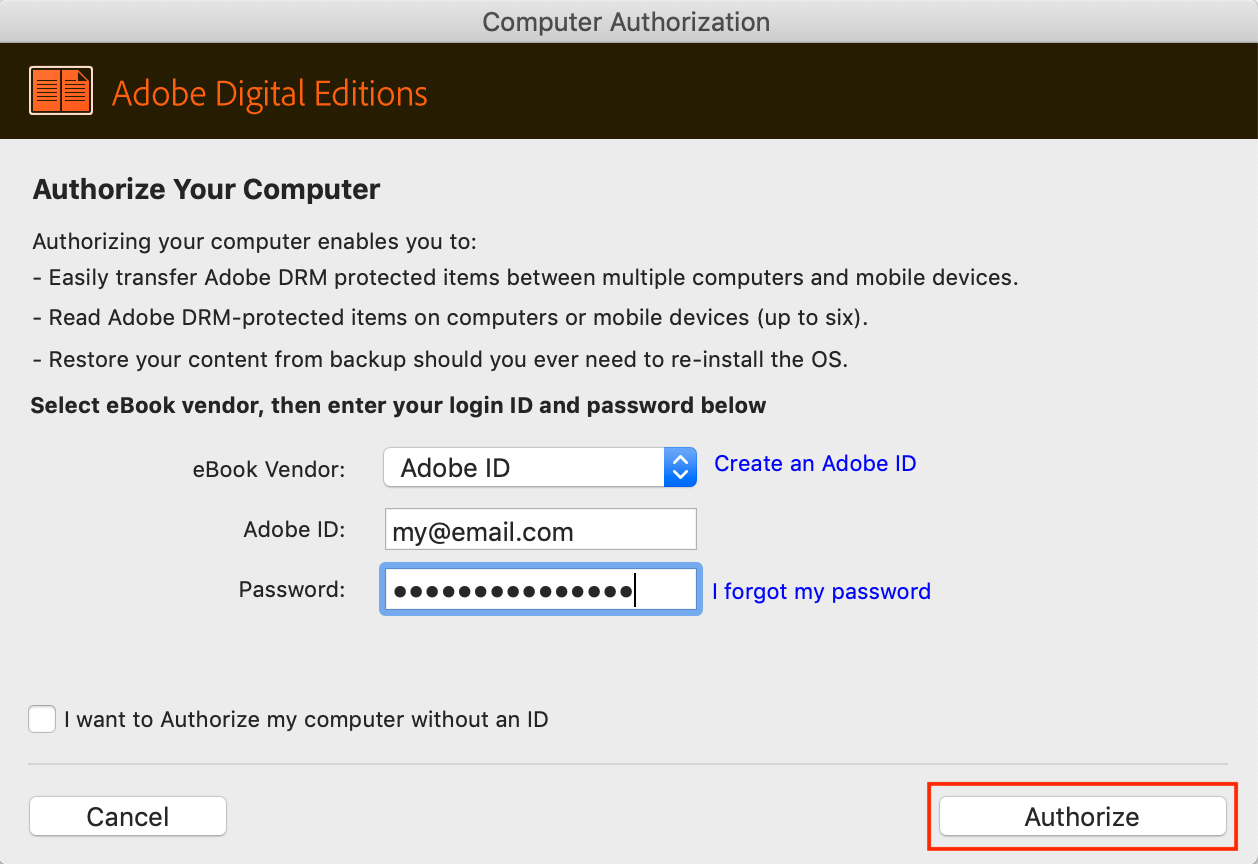
Enter the email address and password used in (ST2625-en) Creating an ByteBooks ID on your Mac.
-
Click Allow.
Adobe Digital Editions can now be used to read ebooks borrowed from your library. You will no longer need to repeat the previous steps.